
The green wave on your routes
Many traffic lights switch on a fixed rhythm. Drive the same route often enough and you may often work against that rhythm without knowing it: a little too fast and you stop. A little too slow and you stop as well.
FahreGreen records your trips and remembers where you stopped and for how long. Many trips through the same traffic light make a pattern, and the pattern should one day turn into a sentence: at this speed you will reach the light on green.
That is the first step. The intention is wider: an app that supports greener habits in everyday life. Driving is only the beginning, because that is where it is easiest to measure.
Free of charge, in 15 European countries.

Why this is more than convenience
Every start costs energy. Every braking destroys it again. Motion turns into heat in the brake discs, and that motion was paid for beforehand with fuel or electricity. In an electric car the brake discs come into play less often, because recuperation takes over part of the braking.
In a combustion car the result is fuel use, CO₂ and whatever else leaves the exhaust, right in the middle of town, at pavement height. An electric car recovers part of the energy when braking, but only part, and its electricity is generated somewhere too.
Then there is what no exhaust filter catches: brakes and tyres wear down. That wear stays where the braking happened. And brakes used less often last longer.
For a single trip all of this is small. It becomes interesting with the thought you can have at any red light: how many cars are standing in this city right now, pulling away, braking again?
Calculating that is barely possible. Imagining it is easy. And that image is precisely why this app carries a leaf in its icon.
That is also why no number appears here. Nobody can seriously say how much a calmer driving style saves across a whole city. What can be said is the direction and that every avoided hard stop, and every unnecessary acceleration that does not happen, is on the right side of it.
This version asks whether it works at all
FahreGreen is a first version with one purpose: finding out whether the idea holds up. Can enough be read from ordinary everyday trips to estimate the rhythm of a traffic light? Are one driver’s data enough, or does it take many?
Only once that is answered does the rest make sense. Until then FahreGreen shows what it has observed, and promises nothing beyond that.
What the app already does today
A trip starts with one tap before you set off. After that you put the iPhone away.
- It records, even while the iPhone is locked, and stops when you end the trip.
- It shows the traffic lights ahead on a map, with the distance to the next one.
- It recognises where you stopped and for how long, and which way you turned.
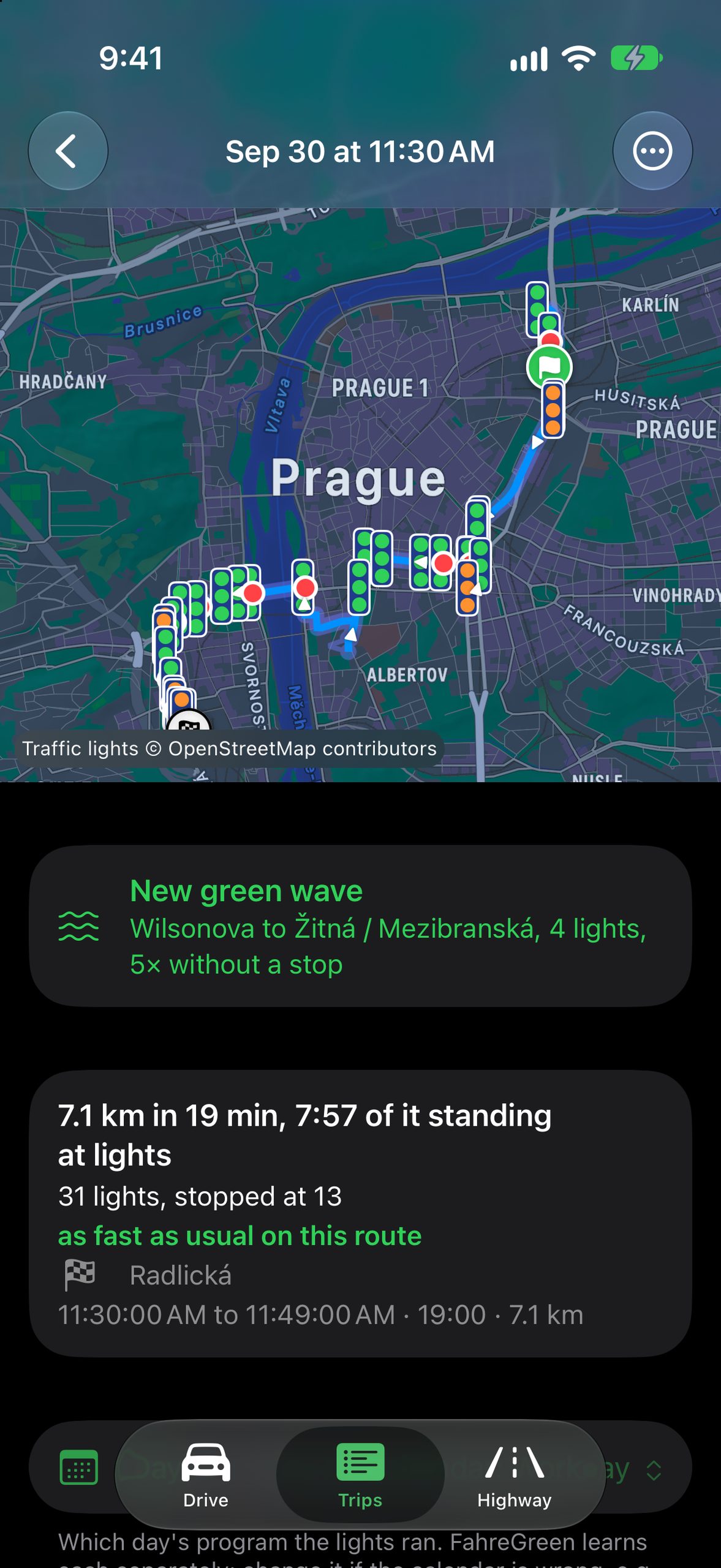
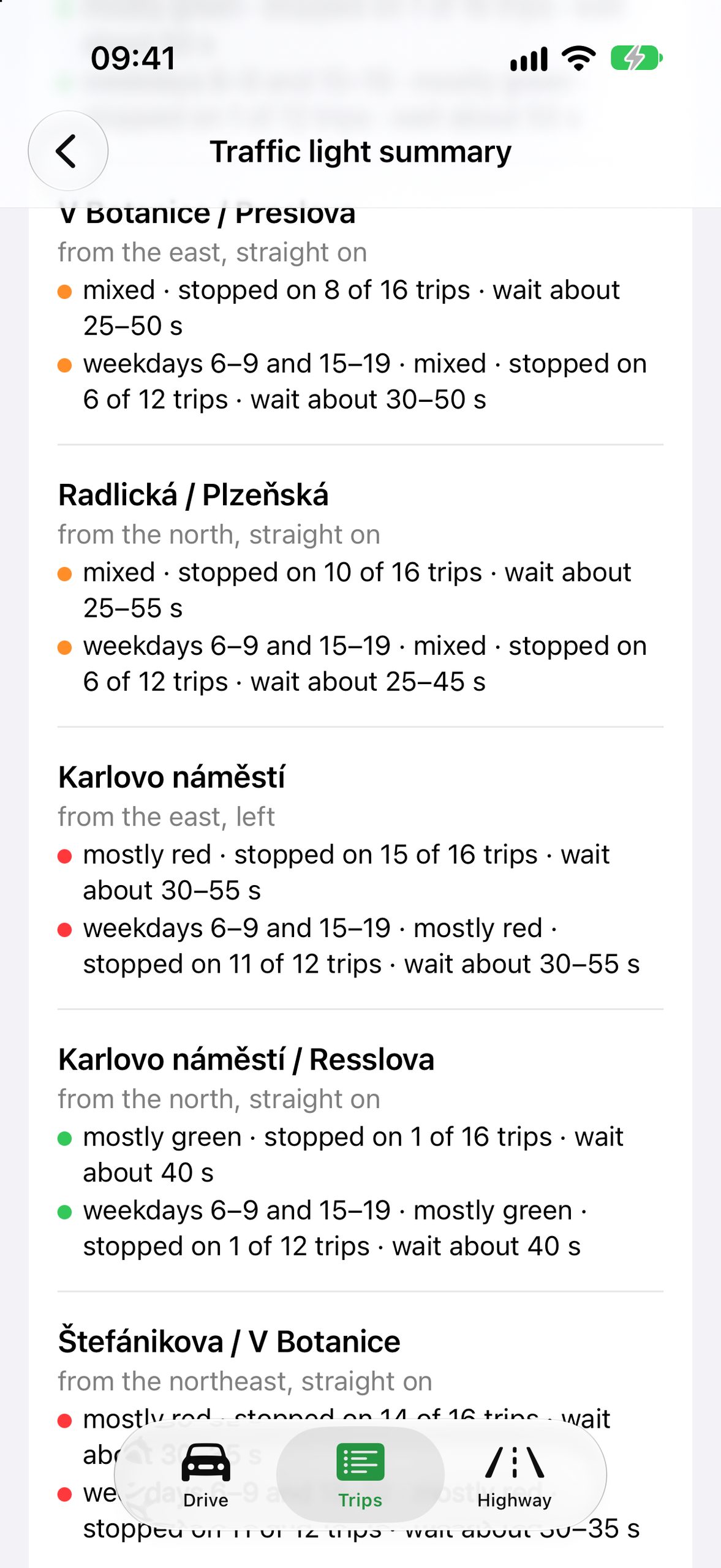
- It compares with earlier trips: this stretch usually takes 70 s, with a stop on 6 out of 10 trips.
- It knows your route. At every light it knows whether you are going straight on or turning, because that decides which signal counts.
- It communicates in German, English and Polish.
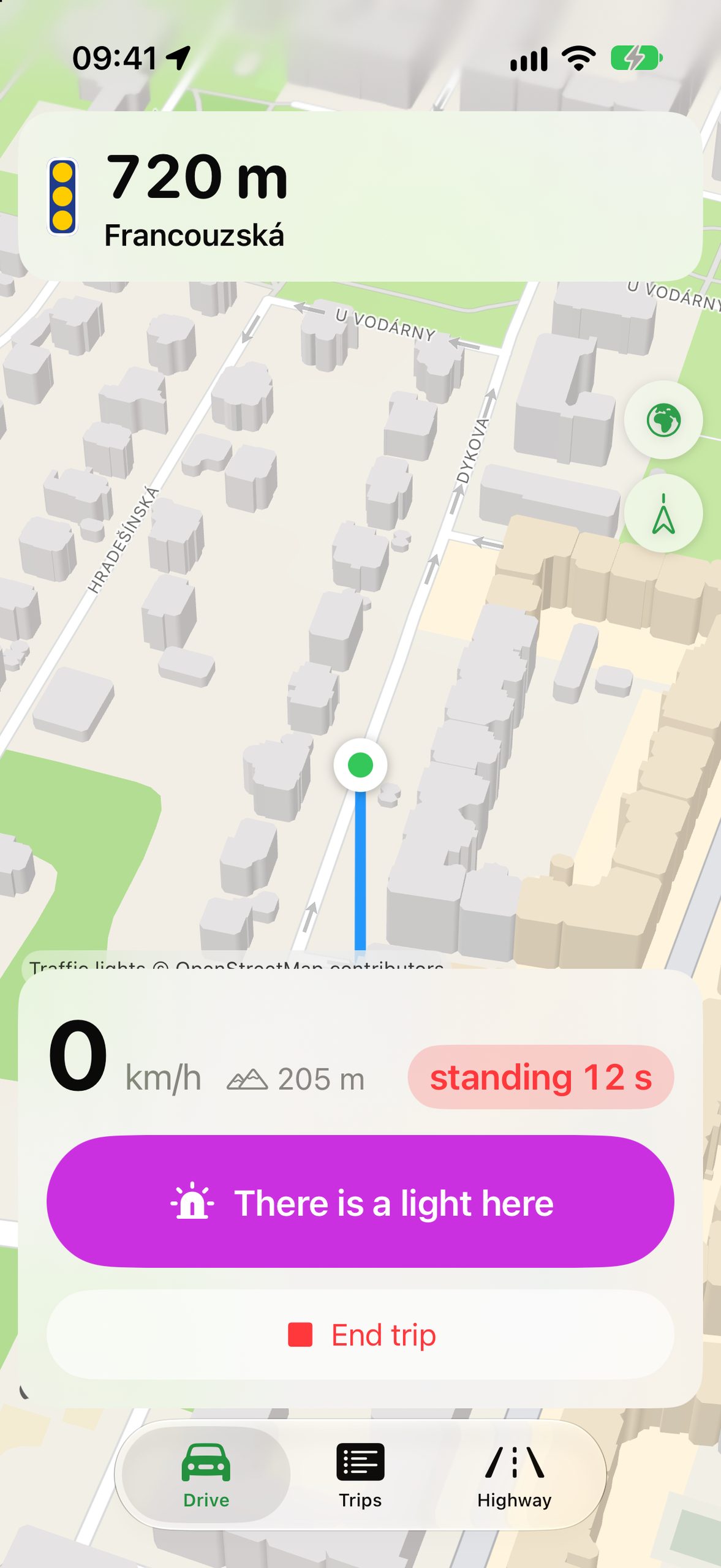
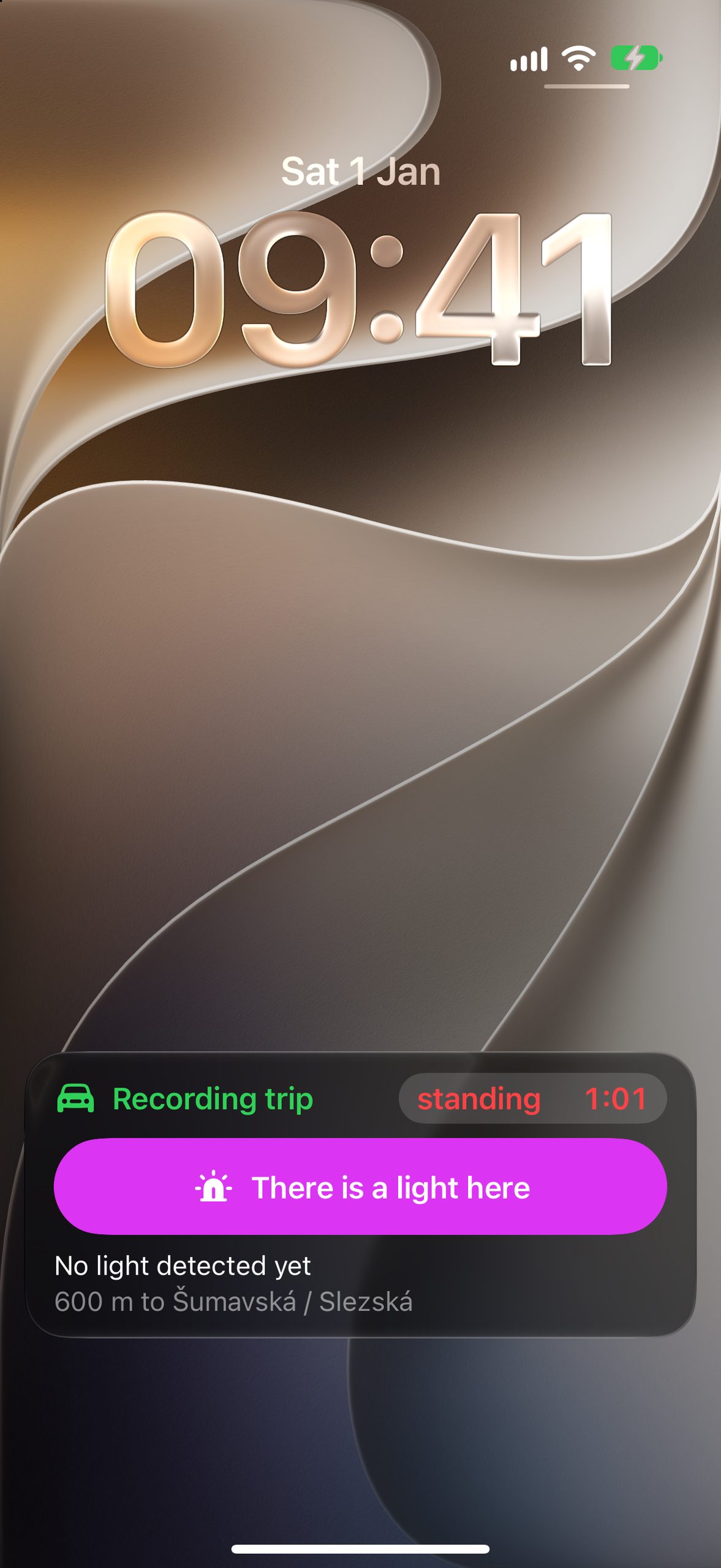
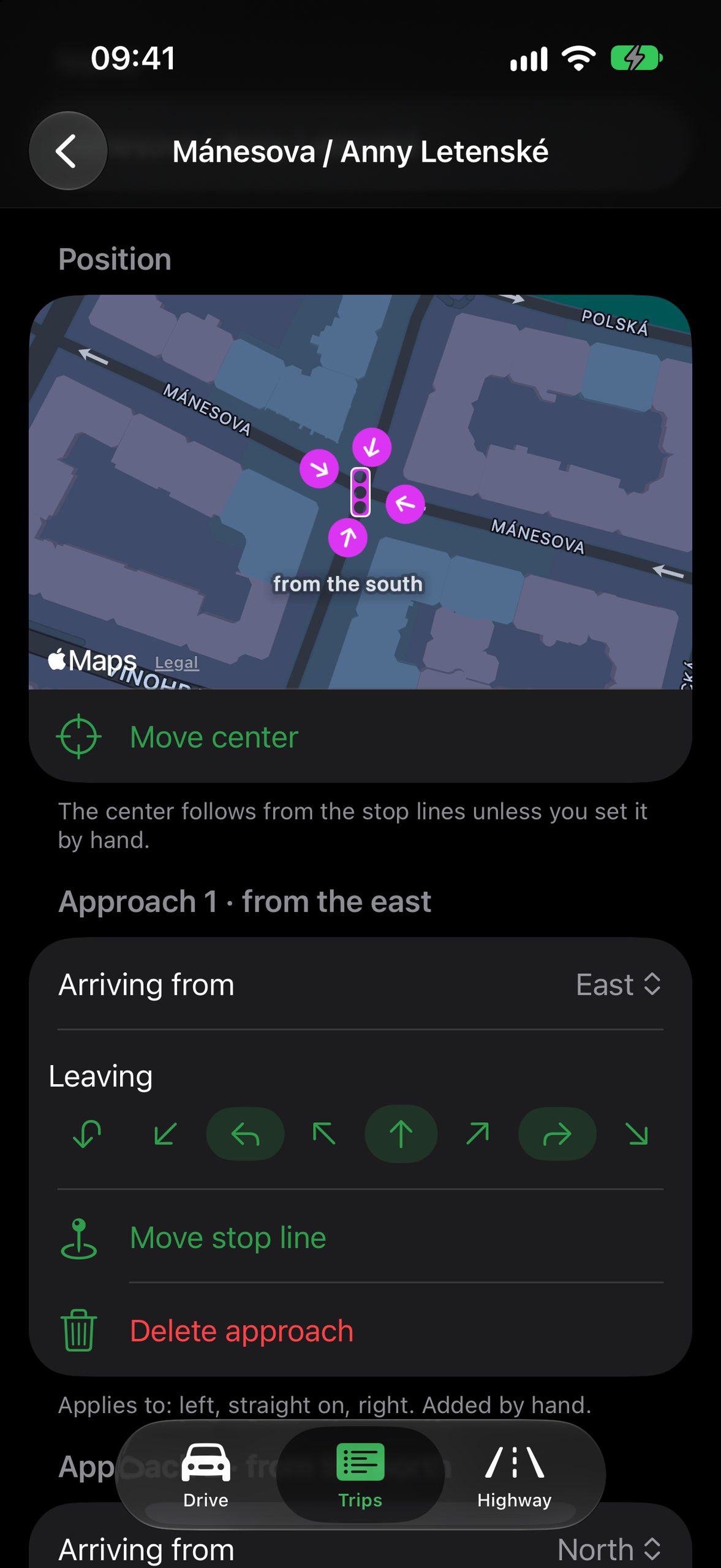
- You can add your own traffic lights where none is known yet: with one tap while stationary, from the Lock Screen, or through Siri. You can edit them later.
The green wave: more green, less braking
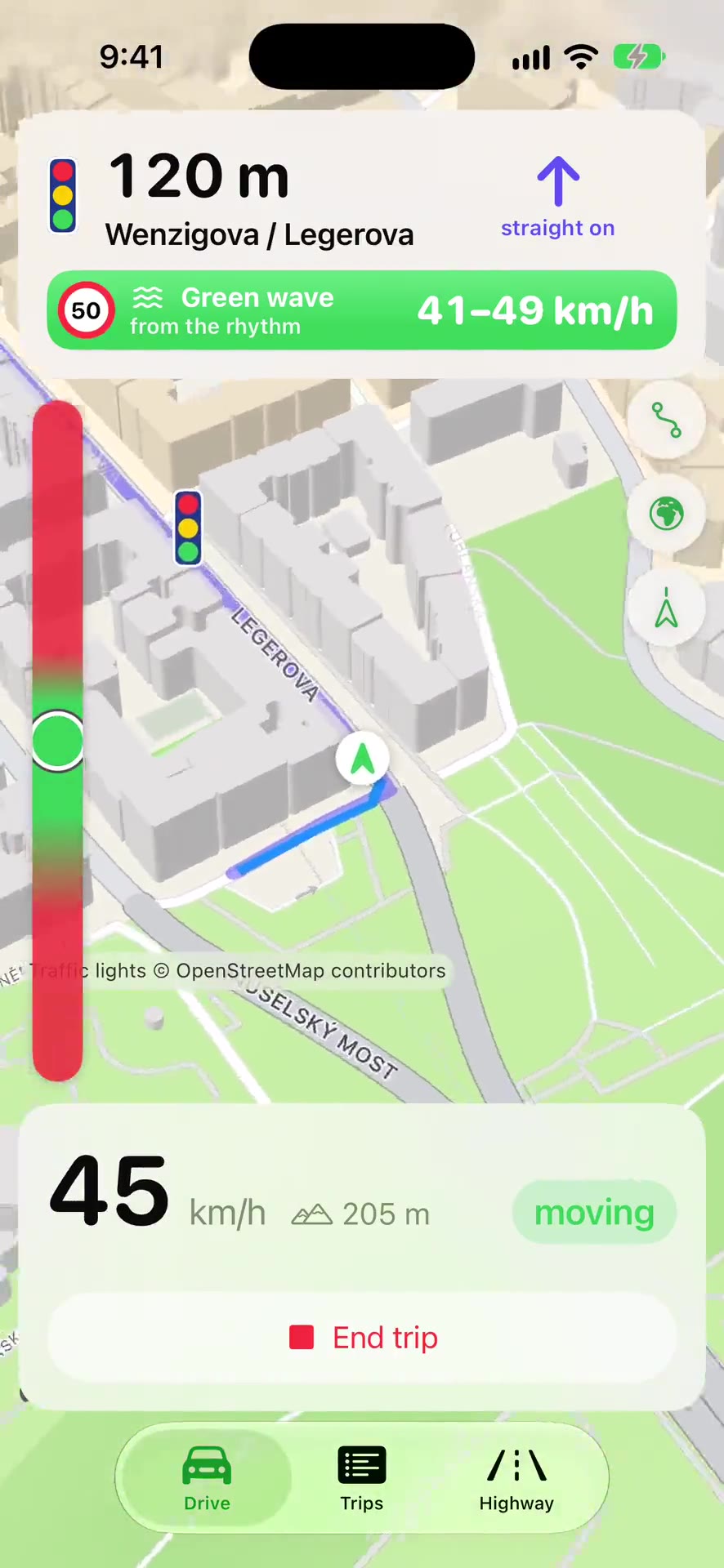
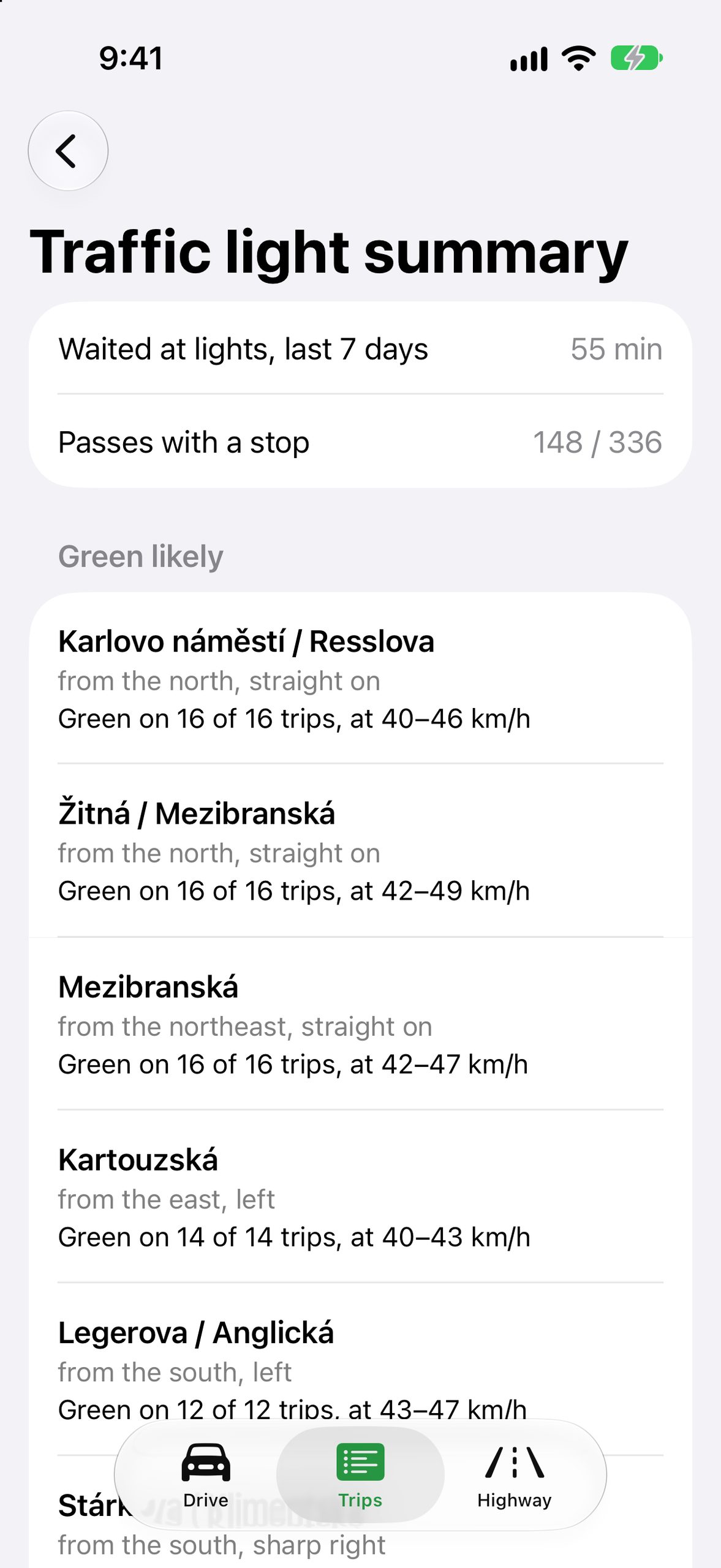
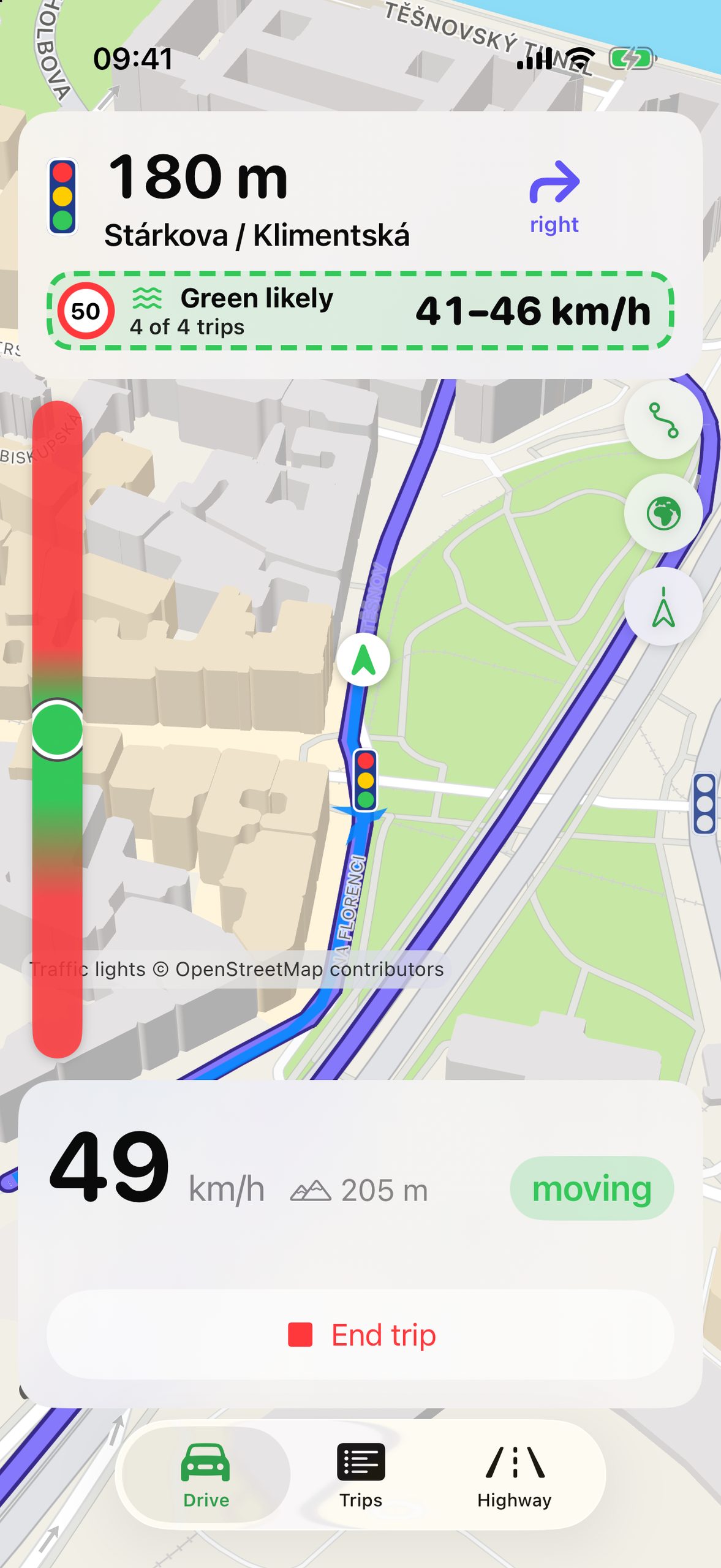
Getting through on green more often, driving more evenly, braking and pulling away less. That is what the green wave is for. FahreGreen shows one once it knows the rhythm of three or more lights in a row, or when you got through all of them in green on at least ten trips. Before that it shows Green likely: lights you have mostly reached on green from this direction. Two stop lines in the same place count as one light.
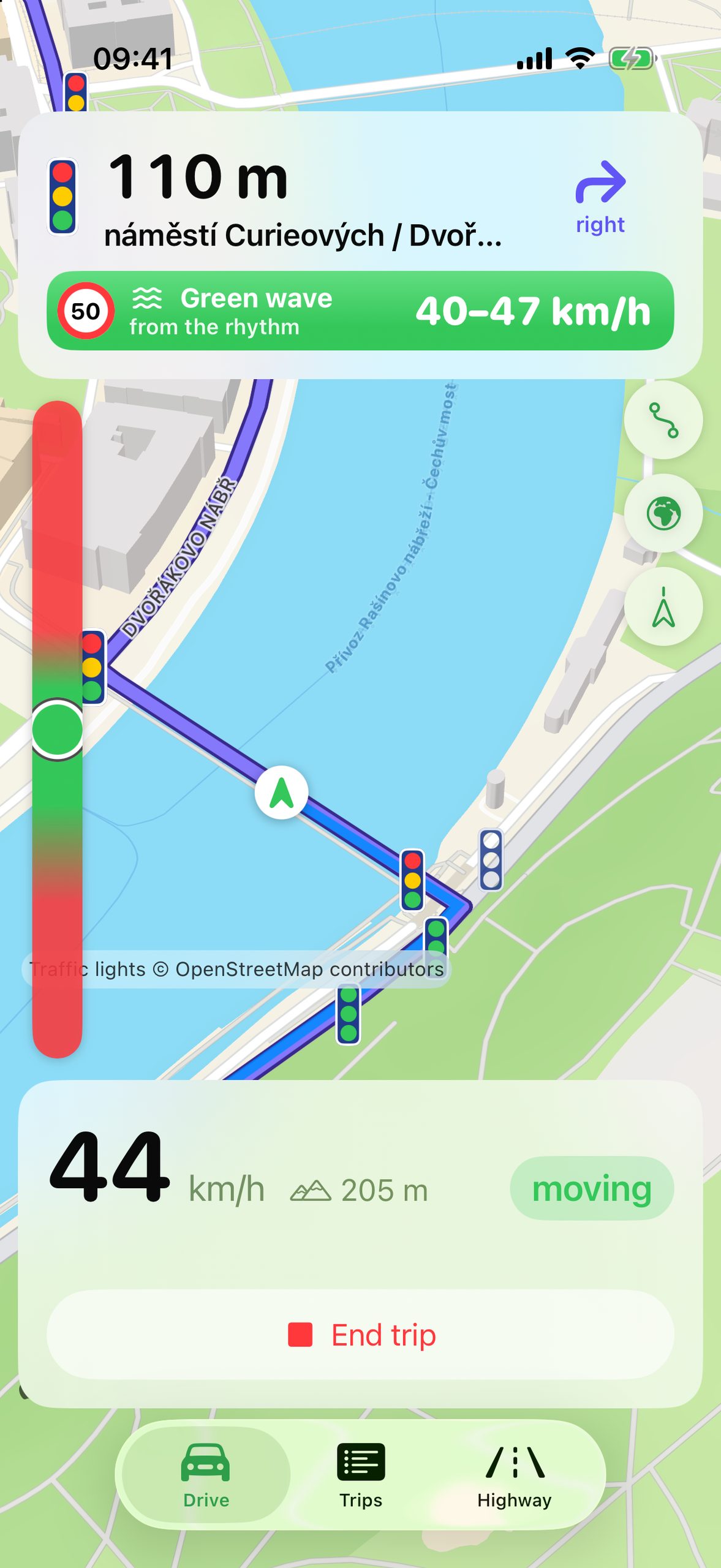
A strip then appears along the left edge, and the ring inside it is your speed. If the green sits above it, go a little faster; below it, a little slower. It fades out softly. The green ends at the speed limit FahreGreen knows from the map data; where none is known, it names no speed. The signs always apply.
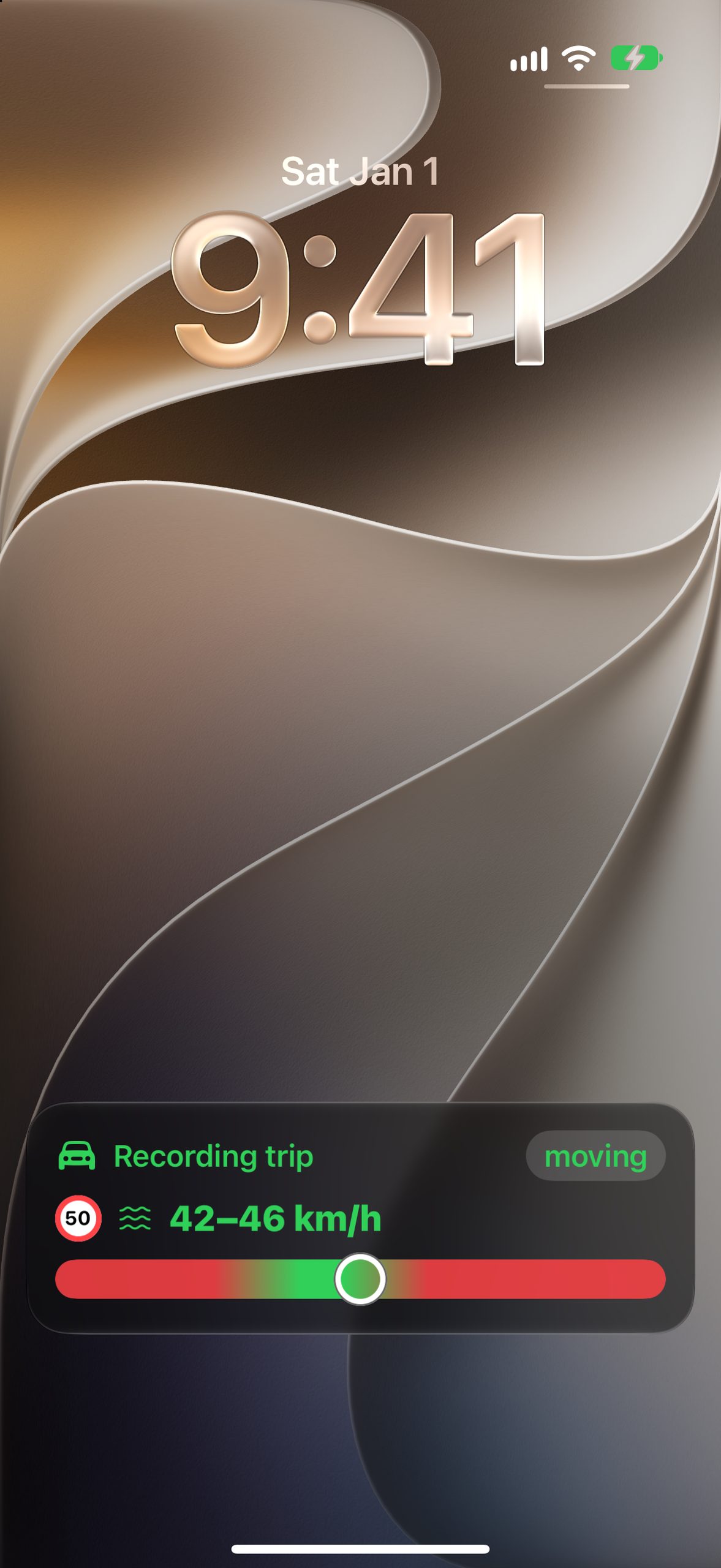
It is not the actual signal. FahreGreen does not know when a light turns green. Everything here is a probability from your own trips, not a promise. Which display appears when is explained in the help pages.
On the motorway: the green leaf
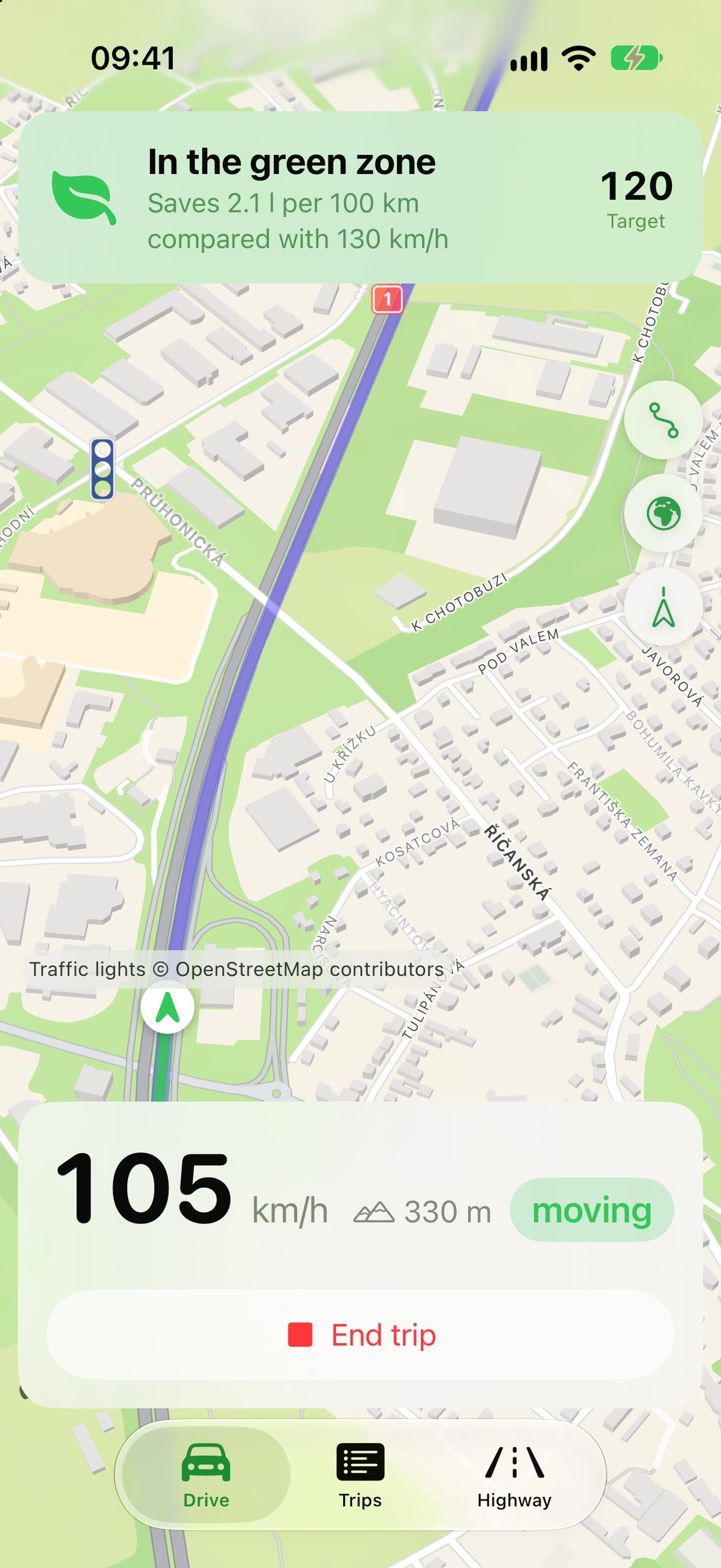
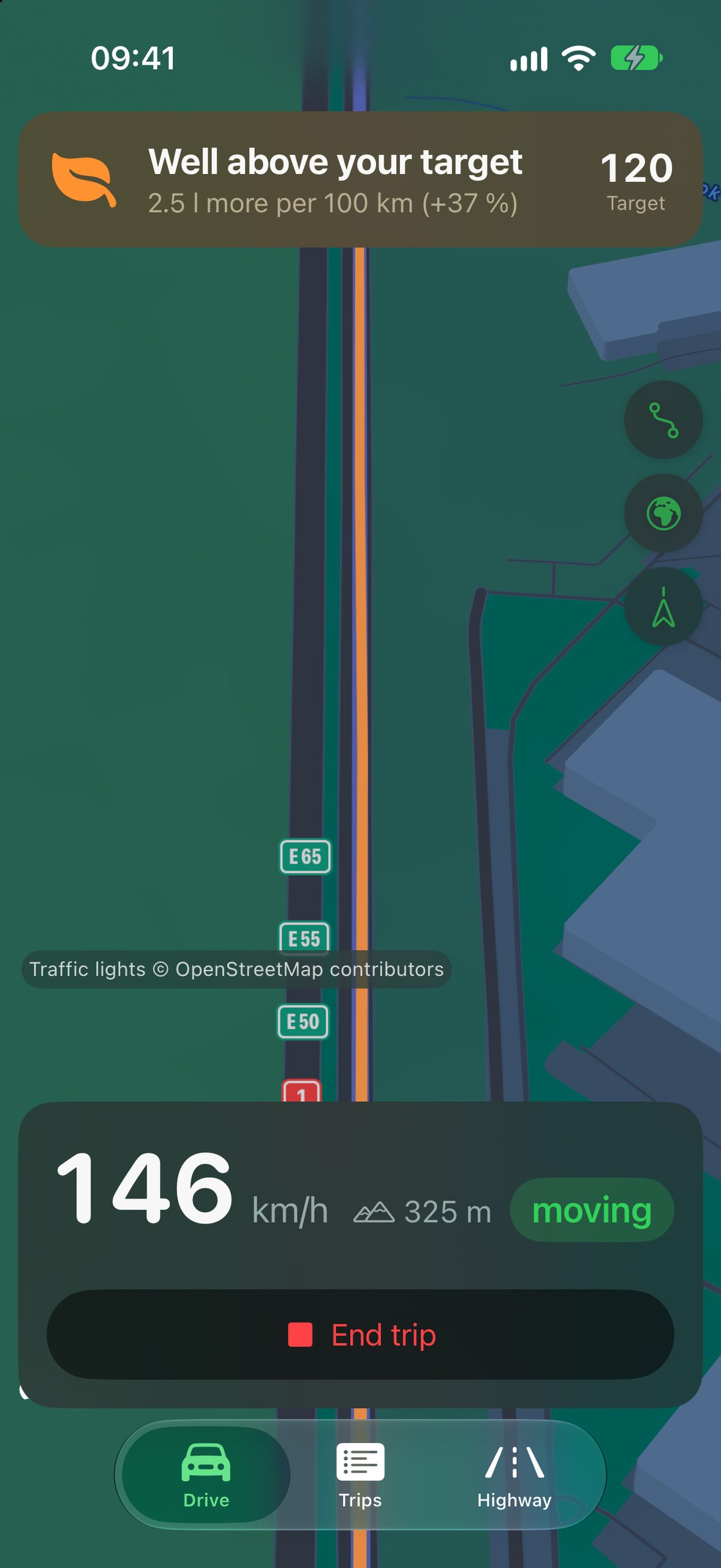
You set your preferred speed once and say what you drive. That decides whether the app counts in litres or in kilowatt hours. While driving, a leaf in green, yellow or orange shows whether you are below or above it, and what that costs per hundred kilometres.
After the trip you see how much time you spent above your own target, how much extra fuel or energy that meant, and how much time you gained on paper. It is often less than you think.
Consumption and time gained are estimates from a simplified model. They show an order of magnitude, not an invoice.
Modern cars have shown consumption for years and still, while driving, one looks at the clock rather than at the gauge. The leaf is a reminder at the right moment of what your own 20 km/h more actually buy: usually a few minutes, paid for noticeably.
Recently added
Lights that switch with the traffic
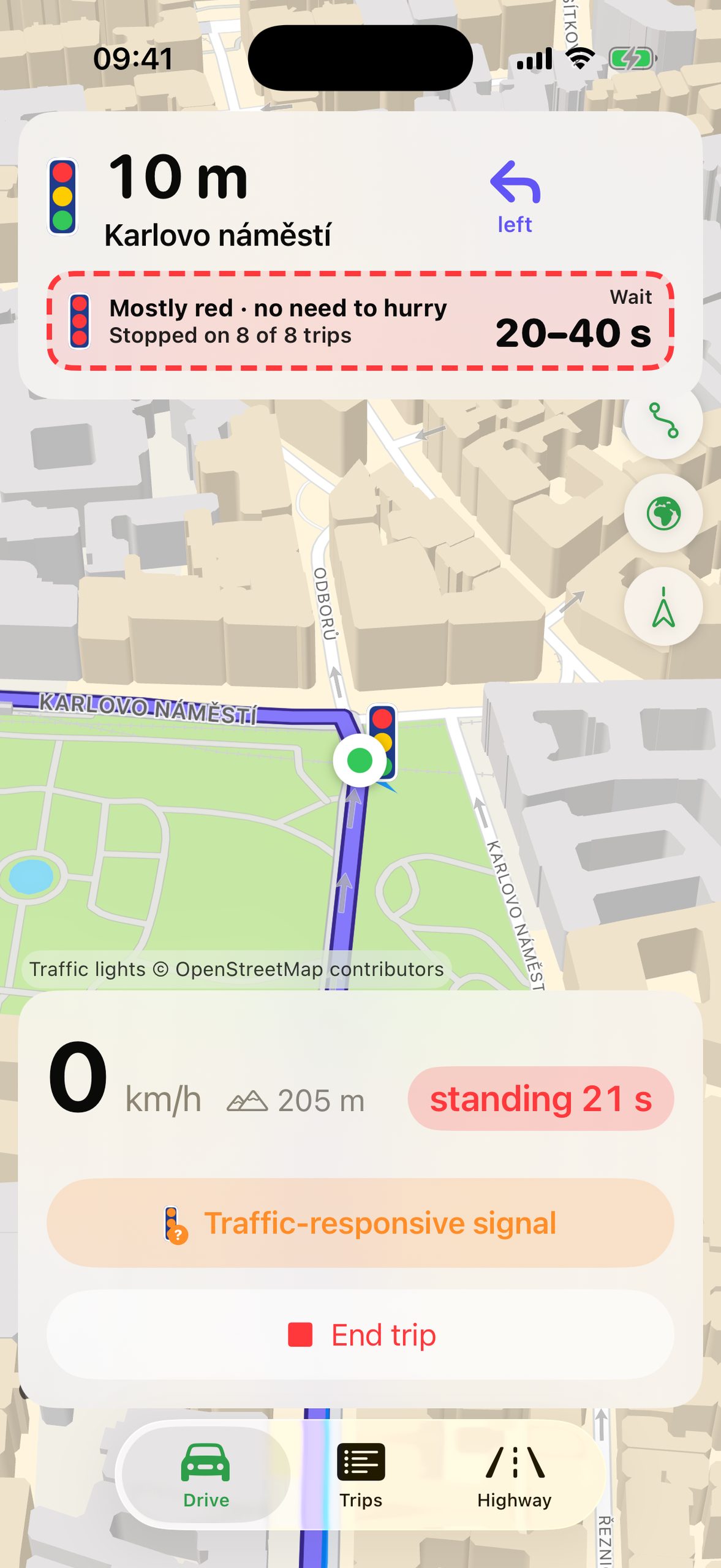
Some lights follow no rhythm but the traffic: a loop in the asphalt, a button for pedestrians, a camera. There is no rhythm to learn there, and any advice would be a guess.
You then mark such a light yourself: with one tap on the orange button while standing, or later in the traffic light summary with a swipe. FahreGreen learns no rhythm there, and the green wave passes over that light instead of breaking off at it.
Speed limits, including the ones nobody mapped
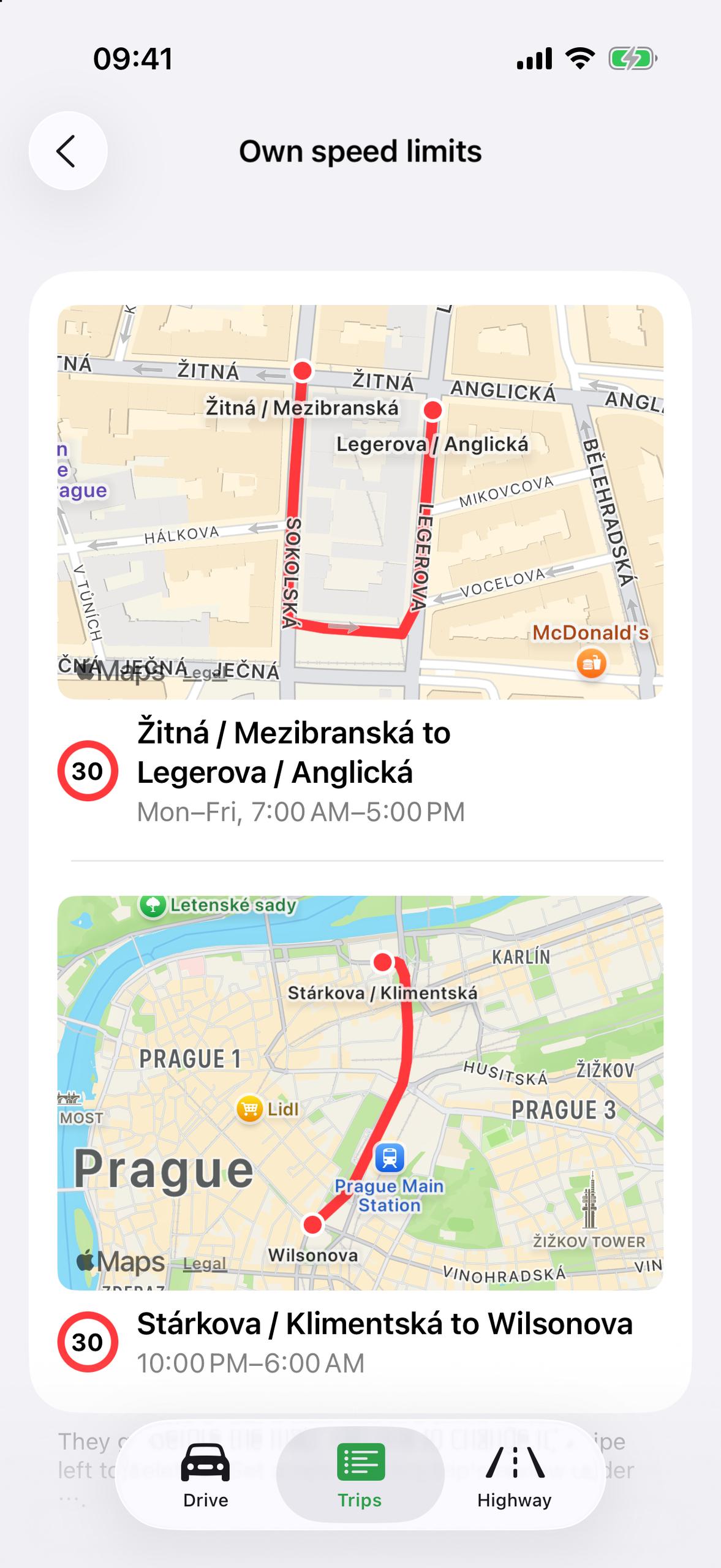
The green always ends at the speed limit. If the map data has none, FahreGreen names no speed – better nothing than something wrong.
You then enter a missing limit yourself after the trip: first light, last light, the limit. If you like only on certain days or at certain times, such as Monday to Friday from 7 to 17 outside a school. Public holidays count as Sundays. A map shows the stretch in red.
And what the map data does hold then applies by time of day and weekday as well: 30 at night, 50 during the day.
Not every green is worth the same
Filled green then appears only when FahreGreen knows the rhythm of the lights, or when you got through on green on at least ten trips. Framed in green means Green likely: it has mostly worked so far, and the app claims nothing more.
Below it stands what that rests on. “4 of 4 trips” is not the same as “8 of 10”.
What it cannot do yet
The important part first: FahreGreen does not yet tell you how fast to drive. That is the goal, not the current state.
It needs more trips through the same traffic lights than exist so far. And it needs the step being built right now: turning the observed stops into a pattern per light and per direction.
Only when that pattern is reliable will a recommendation follow. Until then the app would rather say “no reliable recommendation” than guess.
The app distinguishes between what it has observed and what it concludes from that.
Also not included: it is not a navigation app. No turn instructions, no spoken directions, no CarPlay.
Traffic lights: either they are there, or you add them
In 15 countries the app brings the traffic lights with it, about 164,000 in total. The positions come from OpenStreetMap (as of October 2026) and are contained in the app; nothing is downloaded.
- 61,732 traffic lights in Germany
- 35,637 in France
- 16,537 in Italy
- 13,072 in Poland
- 11,298 in the Netherlands
- plus Belgium, Denmark, Austria, Switzerland, Hungary, Czechia, Slovenia, Slovakia, Luxembourg and Liechtenstein
What is missing from OpenStreetMap you add yourself – right where you are standing. Not every traffic light is mapped there, and outside these 15 countries the map starts out empty.
- With one tap while stationary, while you are waiting anyway
- From the Lock Screen, without opening the app
- Through Siri, when your hands should stay on the wheel. Say it the first time with the iPhone unlocked and allow it, after that it also works locked.
- Later and in peace on the map, once you are home
A traffic light you added yourself is worth exactly as much to the app as one from OpenStreetMap. Drive a route regularly and you will have them together after a few trips.
Where this should go: many trips instead of one
One person passes the same traffic light perhaps twice a day. For a reliable pattern that is not much.
That is why FahreGreen should later bring together the trips of several people on the same routes and the traffic lights they have added as well. Two observations a day become twenty, and a guess becomes an estimate worth something.
This does not exist today, and it will not arrive as a side effect: it needs a service that does not exist yet, and it only works voluntarily, transparently and with explicit consent. Until that is in place, every trip stays where it was made: on your iPhone.
Your trips stay with you
There is no user account and no server where your trips end up. They sit on your iPhone, and the developer can neither see where you drive nor whether you use the app at all.
The map and the destination search run through Apple, as in any app with a map. What is transmitted in the process is described in the privacy policy for the app.
At the wheel
The app is built for one glance, not for operating while driving. You report a traffic light while stationary, and the recording simply continues while the iPhone sits in your pocket.
FahreGreen is in the App Store
Free of charge, in 15 European countries.
FahreGreen keeps being tried out on trips around Braunschweig. The more trips come together, the more precise Green likely becomes.